

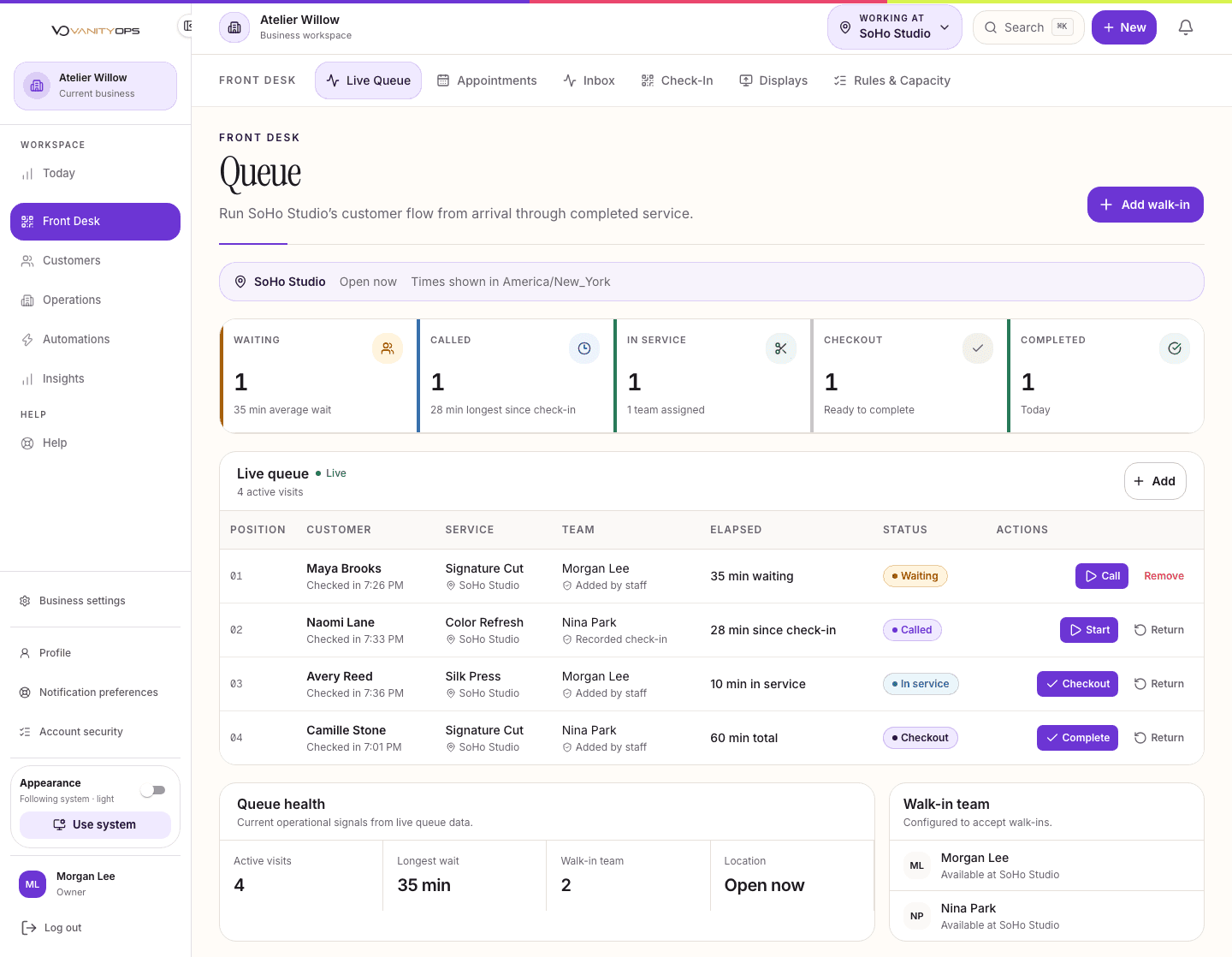
See every visit moving through the day.
See who has arrived, who is waiting, who is in service, and what needs attention next. Assign staff and move each visit forward without losing the thread.
Front Desk · Live Queue
When the queue lives in staff memory, paper notes, and disconnected calendars, waits grow and handoffs break down.
Keep everyone aligned, even when the day gets busy.
Walk-in check-in and live queue
Customer calls, service starts, and checkout
Staff and service assignment
Queue rules, capacity, and display screens
Daily handoffs by location
The work stays connected from one moment to the next.
Related products keep the right customer, location, and team information close, so no one has to piece the story back together.
Appointments & Calendar
Keep the team aligned on who is booked, where they need to be, and what comes next.
See details
Customers
Help the team make each visit feel remembered and personal.
See details
Operations
Create a consistent foundation that is easier to manage and grow.
See details
Insights
Know where the business needs attention and act with confidence.
See details
Know what is included before you choose.
Compare Solo, Core, Growth, Scale, and Enterprise to see how operations, automation, and organizational control expand with the business.
Start with the change you want to make.
See how this product works with the rest of VanityOps to solve a specific challenge.
Walk-In Management
Without a shared queue, customers are left guessing, staff lose their place, and service order depends on memory.
See details
Front Desk Efficiency
When each part of the day lives in a different tool, the desk becomes the place where gaps, delays, and customer frustration collect.
See details
Business Visibility
Decisions stall when leaders have to assemble basic answers by hand and debate which report is current.
See details
Front Desk questions.
Yes. Choose Core, Growth, or Scale during signup and complete onboarding. Once you confirm your own launch, your 15-day trial begins with the exact plan you selected. No payment method is required to launch.
Yes. Each queue reflects its location and assigned staff. Scale adds administration and reporting across the wider business.
No. Every name and business detail shown in our marketing previews is fictional. You can explore the product without exposing anyone's information.
Put Front Desk to work for your business.
Choose the level that gives your team what it needs today, with room to grow.