

See every visit moving through the day.
See who has arrived, who is waiting, who is in service, and what needs attention next. Assign staff and move each visit forward without losing the thread.
Front Desk · Live Queue
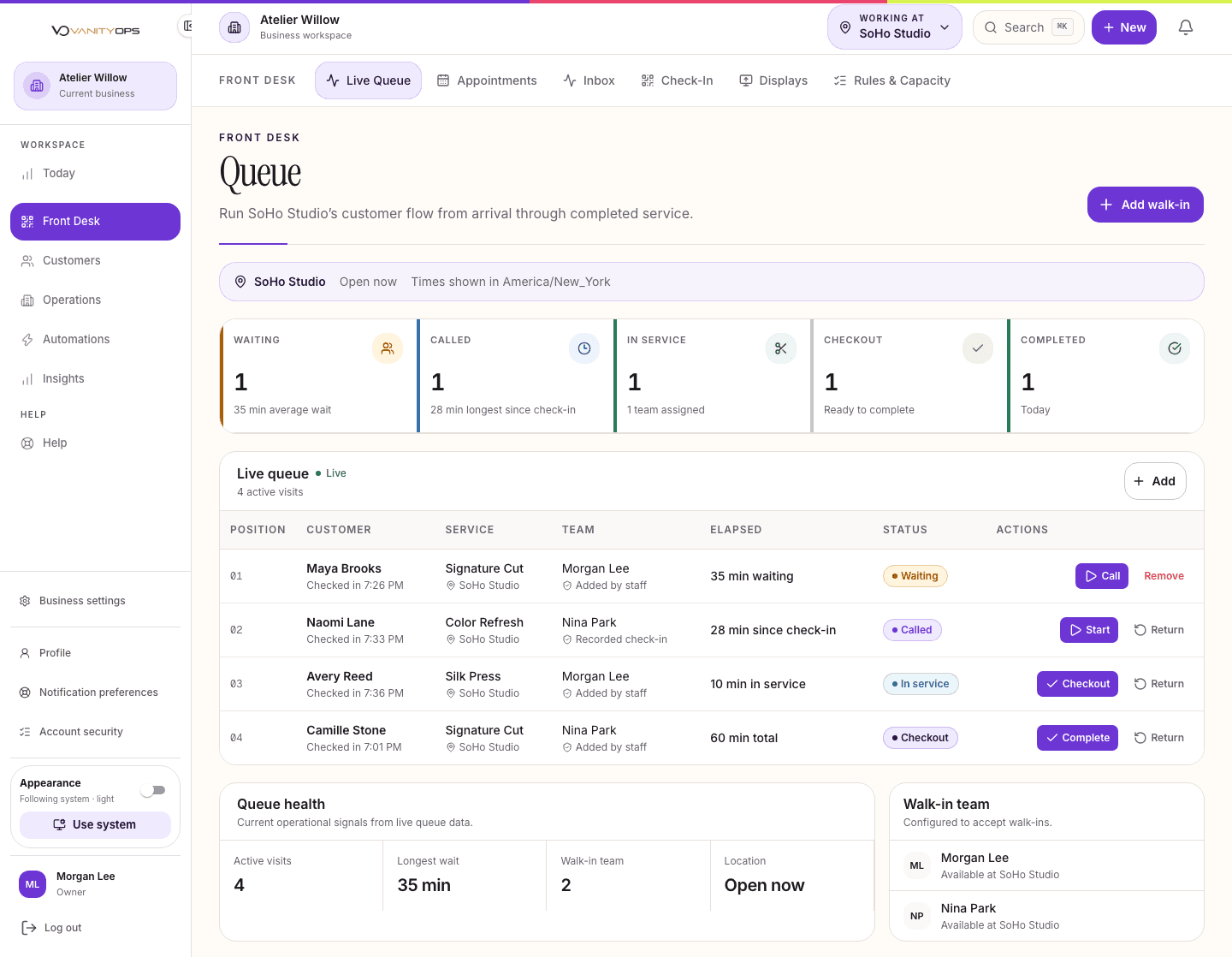
When the queue lives in staff memory, paper notes, and disconnected calendars, waits grow and handoffs break down.
Keep everyone aligned, even when the day gets busy.
Walk-in check-in and live queue
Customer calls, service starts, and checkout
Staff and service assignment
Queue rules, capacity, and display screens
Daily handoffs by location
The work stays connected from one moment to the next.
Connected features keep the right customer, location, and team information close, so no one has to piece the story back together.
Appointments & Calendar
Keep the team aligned on who is booked, where they need to be, and what comes next.
See details
Customers
Help the team make each visit feel remembered and personal.
See details
Operations
Create a consistent foundation that is easier to manage and grow.
See details
Insights
Know where the business needs attention and act with confidence.
See details
Inbox & Messaging
Let the right teammate step in with confidence while staff-only notes stay private.
See details
Walk-In Management
Check customers in, confirm the service, assign staff, and move each visit through one live queue.
How your team uses it
- Check in the customer
- Confirm the service and location
- Assign a team member
- Move the visit forward
- Complete the visit and save its history
One shared queue
The team can see who is waiting, who is in service, and what comes next.
Smoother handoffs
Assignments and status stay with the visit as it moves through the business.
A history you can use
Completed visits add to customer records and reporting.
Walk-in management and the daily Front Desk foundation are included in Essential, Team, and Premier.
Front Desk Efficiency
See appointments, walk-ins, customers, staff, and service progress together so the team can act without switching systems.
How your team uses it
- Review the day
- Welcome arrivals
- Resolve changes
- Coordinate service
- Finish every visit
Less switching
The tools the front desk uses most stay connected.
One view of the day
Everyone sees the same appointment and visit status.
Better recovery
Customer and conversation history stays close when plans change.
Essential covers one staff member’s daily operations. Team supports teams. Premier adds multi-location communication and coordination.
Front Desk questions.
When signup is available, Essential, Team, and Premier include a full 15-day trial of the exact plan you choose. Complete setup and save a card, then confirm your own launch to start your 15-day free trial, with $0 subscription charges today. Check pricing for the current access path; an early-access request does not start a trial.
Yes. Each queue reflects its location and assigned staff. Premier adds administration and reporting across the wider business.
No. Every name and business detail shown in our marketing previews is fictional. You can explore the product without exposing anyone's information.