

Automate the follow-through. Keep the judgment.
Turn events already happening in VanityOps into repeatable automations you can draft, test, publish, and review.
Automations · Workflow
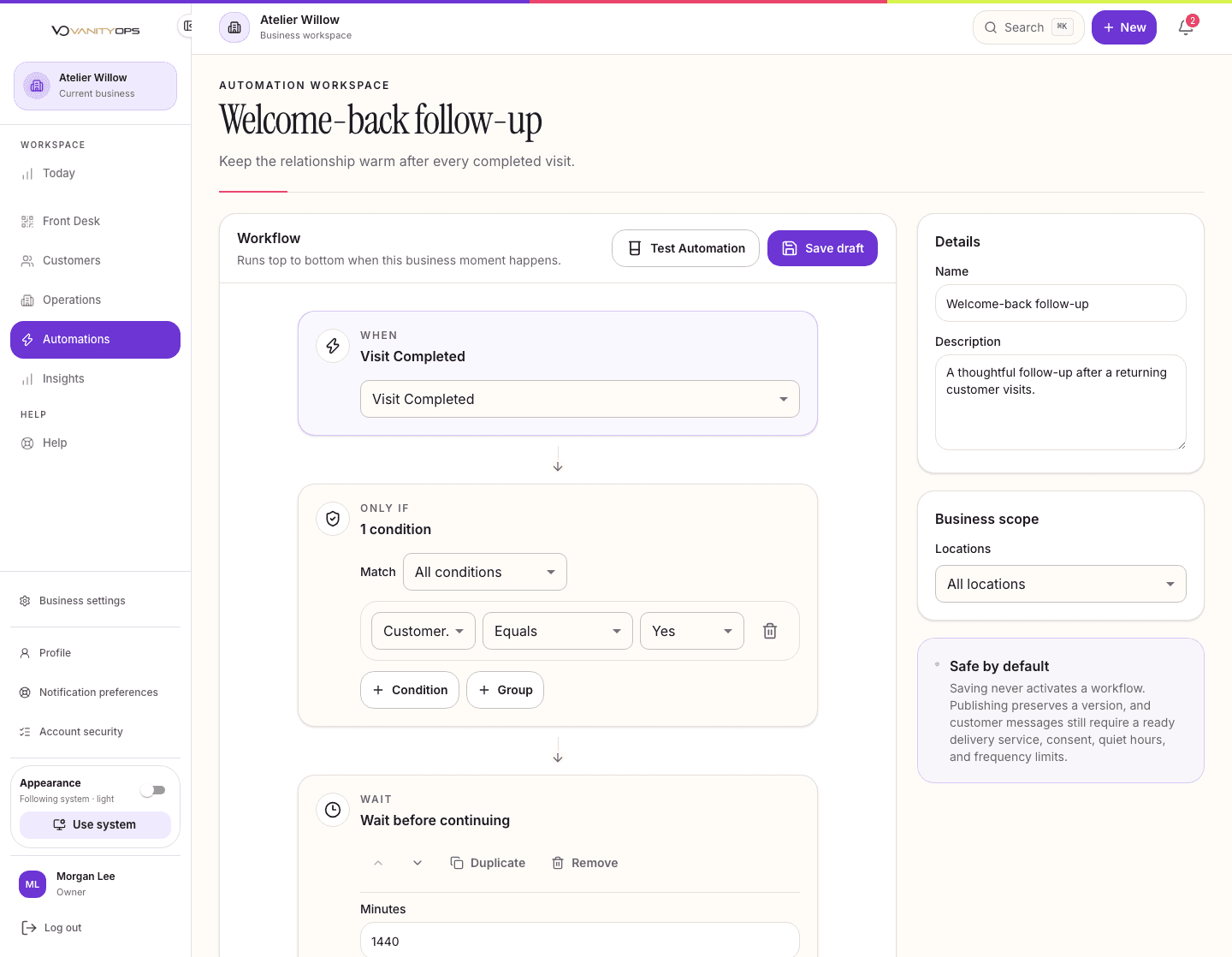
Manual follow-up gets missed. Careless automation creates noise. Teams need a faster way to act without losing oversight.
Save time on routine coordination without giving up visibility or control.
Triggers based on business events
Draft, test, and publish controls
Run history and safe retries
Quiet hours and delivery safeguards
Plan and permission controls
The work stays connected from one moment to the next.
Connected features keep the right customer, location, and team information close, so no one has to piece the story back together.
Customers
Help the team make each visit feel remembered and personal.
See details
Appointments & Calendar
Keep the team aligned on who is booked, where they need to be, and what comes next.
See details
Inbox & Messaging
Let the right teammate step in with confidence while staff-only notes stay private.
See details
Insights
Know where the business needs attention and act with confidence.
See details
Loyalty & Rewards
Build loyalty customers can see and staff can explain.
See details
Customer Retention
Use visit history, rewards, and timing to follow up consistently without depending on someone to remember.
How your team uses it
- Find the right moment
- Choose an automation
- Test before publishing
- Watch each run
- Learn from what happens next
Timely follow-up
Repeatable automations reduce dependence on one-off reminders.
Respectful communication
Built-in safeguards help teams keep outreach timely and respectful.
Results you can see
Reporting shows teams what happened after each effort.
Essential includes loyalty, customer records, and up to 7 active automations. Team adds automation capacity and analytics. Premier adds advanced and multi-location automation.
Automations questions.
When signup is available, Essential, Team, and Premier include a full 15-day trial of the exact plan you choose. Complete setup and save a card, then confirm your own launch to start your 15-day free trial, with $0 subscription charges today. Check pricing for the current access path; an early-access request does not start a trial.
All three plans include automations: up to 7 active on Essential, 15 on Team, and 50 on Premier. Team adds analytics, while Premier adds advanced conditions and multi-location automation. Actions that send messages through an outside provider need separate setup and safety controls.
No. Every name and business detail shown in our marketing previews is fictional. You can explore the product without exposing anyone's information.